

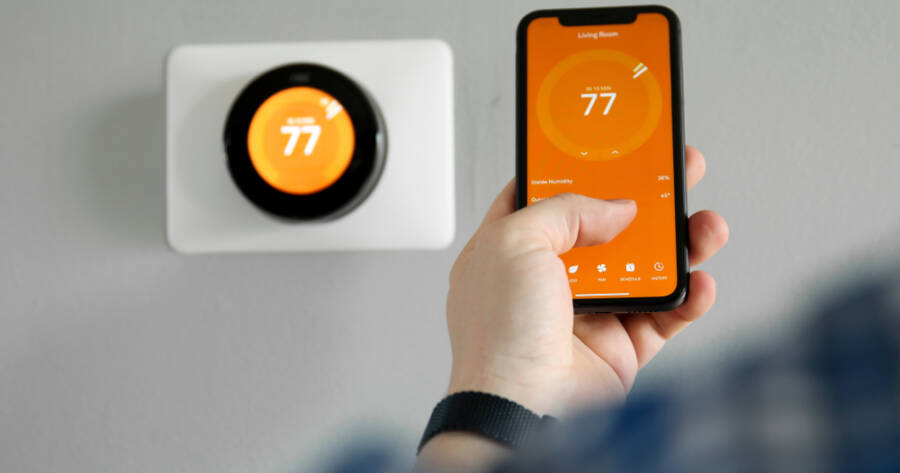
Smart thermostats have changed how people manage heating and cooling in their homes. One key feature that stands out is occupancy sensing, where the thermostat detects whether people are in the house and adjusts temperatures accordingly. With more options on the market that work with different systems and lifestyles, understanding how occupancy sensing works and how it fits your home can help you choose the right device.
How Occupancy Sensors Work With Smart Thermostats
Occupancy sensors use motion detection or presence signals to determine if someone is in a room or home. When the sensors do not detect movement for a set period, the thermostat can shift to an energy-saving mode. When motion is detected again, it can return to a more comfortable setting. Some systems also use geofencing, which tracks a user’s phone location to know if people are home or away, and this works in tandem with in-home sensors.
These features help the thermostat make automatic adjustments without the homeowner needing to change settings manually. While traditional thermostats rely on fixed schedules, occupancy sensing responds to real activity, which can mean comfort when someone is present and energy savings when no one is there.
Notable Smart Thermostat Options With Occupancy Features
Several smart thermostats on the market include occupancy sensing or similar adaptive features. For example, the Google Nest Learning Thermostat uses built-in sensors and user movement to detect presence in the home. Over time, it learns patterns and adjusts settings based on habits and detected occupancy, which reduces the need for manual changes. Nest also supports an Away mode that activates when it senses the house empty for a period.
The ecobee SmartThermostat with Voice Control pairs with remote sensors that can be placed in rooms throughout the home. These sensors detect both motion and temperature, allowing the thermostat to prioritize comfort where people actually spend time. This can help reduce hot or cold spots and provide better room-by-room control.
Other options, like the Honeywell Home T9 Smart Thermostat, also use remote sensors to trigger adjustments based on occupancy in selected rooms. These models allow homeowners to choose where sensors are placed so comfort and energy savings can align with actual living patterns rather than a single central location.
Benefits of Occupancy-Based Adjustments
One of the main benefits of occupancy sensors is reducing wasted heating or cooling when rooms or homes are empty. Traditional thermostats that stay at a fixed temperature all day can waste energy when no one is home. Smart thermostats with occupancy sensing adjust settings to be more efficient without requiring homeowners to think about it.
This adjustment also tends to improve comfort. For example, if you leave home in the morning and return in the evening, occupancy detection can ensure your home is comfortable when you arrive, without running the system at full blast all day. Sensors also help avoid scenarios where a usually occupied room stays at a costly temperature even when nobody is there.
Another benefit is convenience. These thermostats reduce the need to constantly update schedules or settings as routines change. For households with varying work hours or frequent trips, occupancy sensing offers adjustments that fit real life instead of a fixed timetable.
Installing and Setting Up Occupancy Sensors
Most smart thermostats are designed for straightforward installation and can replace existing thermostats on common heating and cooling systems. However, the effectiveness of occupancy sensing depends in part on sensor placement and initial setup.
For thermostats with remote sensors, placement in commonly used rooms helps ensure accurate detection. This might mean placing a sensor in a living room where people spend afternoons, a bedroom for evenings and mornings, or a home office where daytime activity occurs. Avoiding placement near vents or direct sunlight helps reduce false readings or temperature miscalculations.
Geofencing features usually require a smartphone app and user permissions. When enabled, the system can detect when registered phones leave or return to the home area and adjust the system accordingly. Combining motion sensors with geofencing can provide a fuller picture of home occupancy.
Daily Use and Monitoring
Once set up, smart thermostats with occupancy sensing often require minimal interaction. Many homeowners interact with them through mobile apps, which provide at-a-glance status and allow manual adjustments when needed. Over time, some models like Nest adapt to homeowner patterns and refine settings based on past behavior and detected occupancy.
Regularly checking sensor placement and ensuring that app permissions and connectivity are working helps maintain reliable performance. If routines change significantly, homeowners can adjust preferences or update schedules within the app to support new patterns.
The ability to check temperature history, occupancy detection events, and system behavior through app dashboards offers insight that older thermostats do not provide, helping people understand how the system responds to real use.
Occupancy Sensing for Comfort and Efficiency
Smart thermostats that adjust based on occupancy sensors offer a responsive way to manage home temperature without constant manual changes. By detecting real presence or combining sensor input with location data, these systems provide comfort when rooms are used and energy savings when they are not.
Notable models like the Google Nest Learning Thermostat and ecobee SmartThermostat show how occupancy sensing can work in different ways, from built-in learning to remote room sensing. For many households, these features bring convenience and better control, making home heating and cooling more personalized and efficient.