

If you like the idea of writing with the focus of paper but the storage and search of digital notes, e-ink note devices are worth a look. They use a paper-like screen that is easy to read, even for long sessions, and many are built to reduce app clutter and pop-up noise. The best models help you capture ideas, plan projects, and mark up documents without pulling you into endless tabs, alerts, and scrolling.
Why E-Ink Feels Better for Long Writing Sessions
E-ink screens are designed to look more like printed paper than a bright tablet display. That matters for long writing sessions because the screen is calmer and easier to look at, especially in well-lit rooms. Many devices also have a textured surface that makes the pen feel closer to writing on paper, which can help with control and comfort.
Distraction-free writing is also about how the device behaves. Most e-ink note devices avoid the constant push to jump between apps. Instead, they focus on notebooks, pages, templates, and simple file tools. If your goal is to write more and browse less, that “narrow” feature set can be a real advantage.
reMarkable 2: Minimal, Paper-Like, and Focused
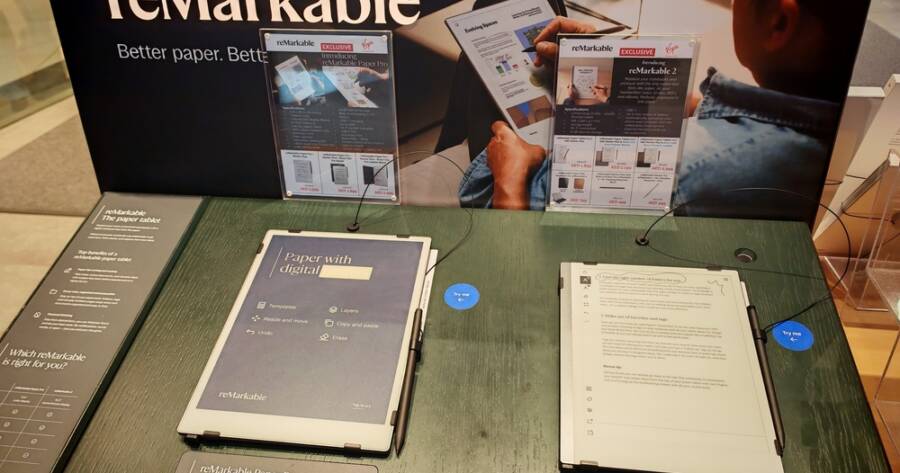
The reMarkable 2 is one of the best-known e-ink writing tablets for people who want a clean, simple experience. The interface is built around notebooks and documents, with a strong focus on writing, sketching, and reading PDFs. The device is thin and light, and the pen-to-screen feel is often described as very close to paper, which is a big reason writers keep coming back to it.
It’s also a good fit if you want fewer distractions by design. You are not dealing with a typical app store or a busy home screen. Instead, you open a notebook and write. For many users, that simplicity is the feature, especially for journaling, meeting notes, outlines, and long drafts where focus matters more than extra tools.
Amazon Kindle Scribe: E-Reader First, Note Device Second
The Kindle Scribe is a strong option if your distraction-free writing is tied to reading. It combines a large Kindle e-reader with pen support, so you can read books and write notes on the same device. That makes it appealing for people who want to annotate, highlight, and keep study notes without switching screens.
For writing, the Scribe works well for daily notes, lists, and planning, and it can feel more structured than a pure writing tablet because of its Kindle roots. It is not trying to be a full creative studio, and that can be a plus if you want a device that keeps you close to text and away from noisy extras. If your “writing time” often follows “reading time,” the Scribe can keep that flow smooth.
BOOX Note Air: Flexible Tools With a Focus Mode Option
Onyx BOOX devices, such as the Note Air line, are often chosen by people who want more flexibility while still working on an e-ink screen. BOOX tablets run Android, which means they can support more apps and workflows than some simpler devices. That flexibility can be useful for people who want specific reading apps, file tools, or syncing methods, especially in work settings.
The tradeoff is that flexibility can bring temptation. The way to keep BOOX distraction-free is to set it up with intent, using only the tools you need for writing and reading, and keeping everything else out of reach. If you want one device that can handle handwriting notes, typed writing, PDFs, and heavier document workflows, BOOX can be a strong choice as long as you keep the setup clean.
Supernote Nomad and A5 Line: Built for Notes That Stay Organized
Supernote devices are known for a thoughtful note system that supports long-term knowledge storage. Models like the Supernote Nomad (A6 size) and the larger A5 options are often used for daily writing, project notes, and planning systems where structure matters. Many users like the way Supernote handles things like headings, links, and navigation within notes, which can make it easier to return to ideas later.
The writing feel is also a major draw. Supernote is designed to be comfortable for long sessions, and its software puts a lot of emphasis on note organization rather than flashy extras. If you want a device that helps you build a personal “paper system” that stays searchable and tidy, Supernote is worth serious attention.
Pick the Device That Matches Your Writing Routine
The best e-ink note device is the one that supports your real writing habits while keeping distractions low. The reMarkable 2 is a strong choice for pure focus and a paper-like feel, while the Kindle Scribe fits people who want reading and note-taking in one place.
BOOX devices can handle more complex workflows if you set them up carefully, and Supernote stands out for organized notes that are easy to return to later. If PDFs drive your work, Quaderno and Kobo options can be a smart match for document-heavy writing.