

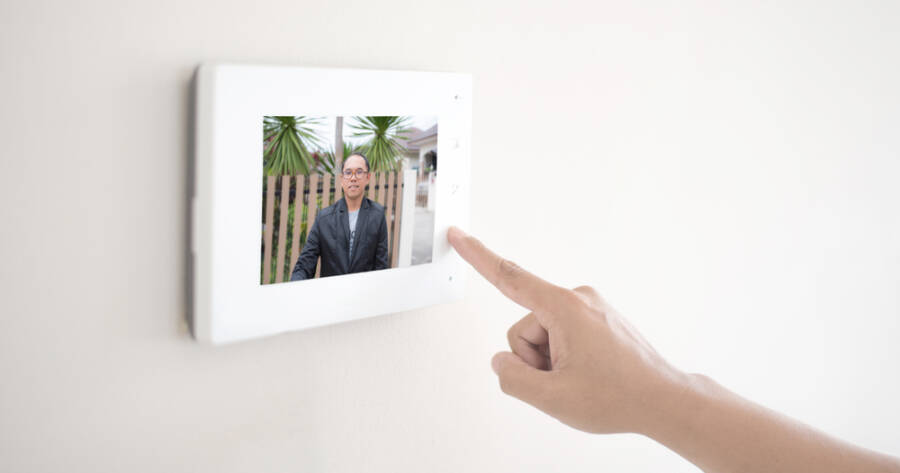
Video doorbells are helpful, but many models push you toward a monthly plan for recording history and smart alerts. If you want to avoid long-term fees, local storage is the feature to prioritize. Local storage means your clips save to a device you own, like a microSD card or a home base, instead of being locked behind a paid cloud plan. Understand how local storage works, what tradeoffs to expect, and which video doorbells are built for use without subscriptions.
What “Local Storage” Really Means
Local storage means the doorbell records motion events and saves them on hardware you control, such as a microSD card inside the doorbell, a hub inside your home, or a local recorder like an NVR. This is different from cloud-only systems where recorded clips are stored on the company’s servers and you pay to access history. Some brands still offer cloud as an optional add-on, but the key difference is that local storage works without a paid plan for basic recording and playback.
It’s important to separate two ideas: live viewing and recording history. Almost every smart doorbell lets you see a live feed without a subscription, but many charge for clip storage and advanced notifications. A local-storage doorbell should let you review recorded motion events without requiring a monthly payment, even if it also offers paid cloud backup as an option.
Why Subscription Lock-In Happens
Subscription plans are often tied to “cloud video history,” meaning the app keeps your clips for days or weeks on the provider’s servers. That can be convenient, but it can also create lock-in, because the doorbell may still record events while you’re unsubscribed yet limit what you can view later. Some systems also place smart detections, rich notifications, or longer event history behind the plan, which nudges users into recurring payments.
Local storage reduces that dependency. If your footage is saved at home, your ability to review clips does not disappear when a trial ends. You still need to maintain the storage device and confirm settings, but you’re not trapped in a billing loop to keep basic recording useful.
Local Storage Options That Avoid Monthly Fees
The most common local option is microSD storage, where clips save directly to a card. This is simple, affordable, and easy to manage, but it can be limited by card size and by how the doorbell handles continuous recording versus event clips. Some doorbells also store locally on a base station inside the home, which can be useful because the storage is not physically attached to the outdoor device. If the doorbell is stolen, the indoor base may still keep the recordings.
There are also “power user” options like saving to a local NVR or FTP server. Brands like Reolink support local storage through microSD, FTP, or an NVR, which is a strong fit for people who want a more self-contained setup without cloud dependence.
Video Doorbells Built for Subscription-Free Recording
If you want a well-known subscription-free approach, eufy highlights local data storage with no monthly fees on its doorbell lineup, including models like the Video Doorbell S220 (2K) that emphasize local storage as the default path. This style is often attractive for people who want a mainstream product experience but don’t want to pay for cloud history.
Aqara’s Smart Video Doorbell G4 is another option that promotes “no subscription” use while offering local storage, which can appeal to users who want local control and, in some setups, smart home ecosystem compatibility.
Reolink’s Video Doorbell line is widely discussed as a “no subscription” option because local recording is central to the system, with support for microSD and other local methods depending on the model. This can be a good fit if you prefer a more direct “store it yourself” approach and want flexibility beyond a single vendor’s cloud.
Tradeoffs to Expect With Local Storage
Local storage is not “set it and forget it.” You need to manage capacity, because once storage fills, most systems either overwrite older clips or stop recording until you clear space. You also need to think about theft and tampering. If the doorbell stores clips on a card inside the unit, a stolen doorbell can take the recordings with it. A base station or NVR can reduce that risk because recordings live inside your home.
Another tradeoff is convenience. Cloud systems often make it easier to share clips, access long history, and recover recordings if hardware fails. Local systems can still be accessed remotely through an app in many cases, but the experience varies by brand and setup. Also, some features—like richer notifications or more advanced detections—may still be offered as optional paid upgrades, even when local recording is complimentary. The important point is that your core ability to record and review events should not depend on a subscription.
Choose Ownership Over Ongoing Fees
If your goal is to avoid subscription lock-in, prioritize doorbells that record locally by default and let you review clips without a paid plan. Models from eufy, Aqara, and Reolink are commonly positioned around that idea.
When you pick local storage that fits your home and your risk tolerance, you keep control of your footage and avoid paying indefinitely just to access your own recordings.